Their plan. Your deadline.
You set a window and what has to get done. Your child decides the rest: what comes first, when, and whether to take on something extra. Anything else they’d like to do, they ask for on the wall, and you answer.
← Back to overviewYou set the frame.
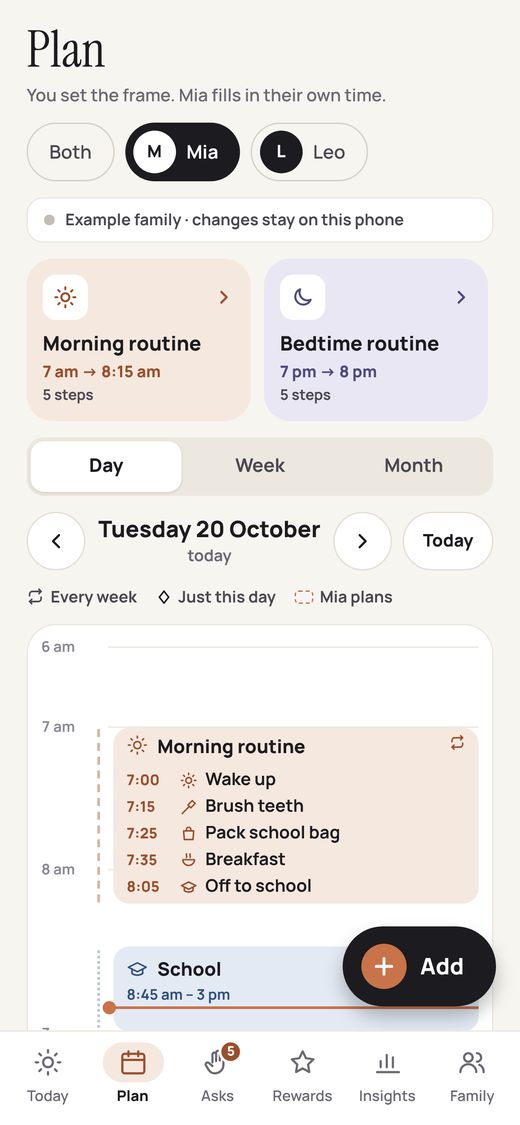
In the Plan tab of the parent app, give each child a window of their own, like 3:30 to 5:30 after school. Fixed blocks such as school, dinner and classes stay locked, so the child can’t move them.
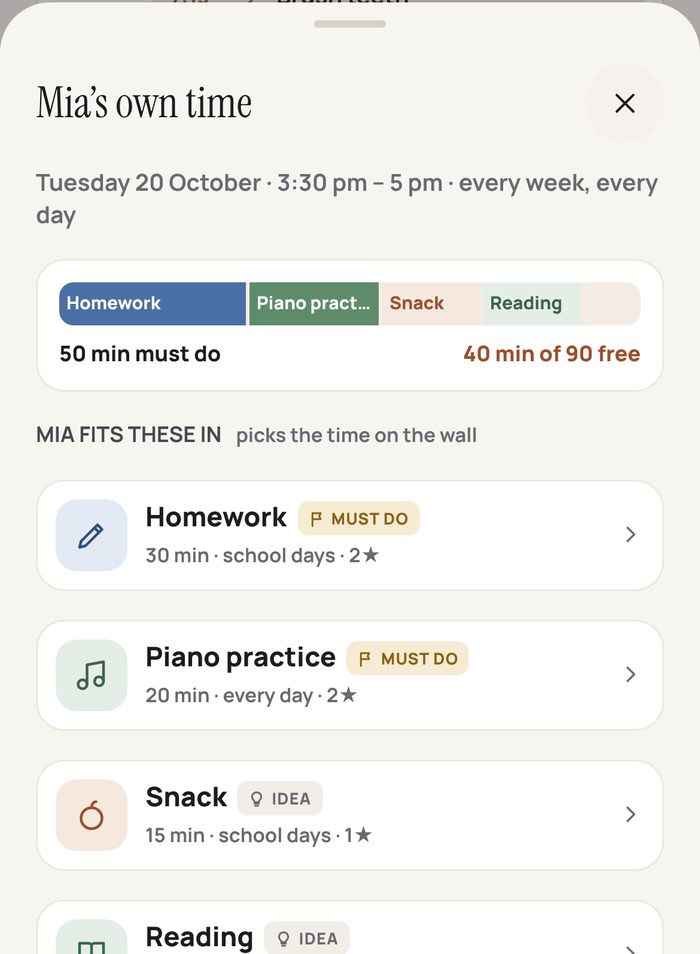
Then choose the cards for that window. Each one is either Must do, like homework or piano practice, or Just an idea, like art or reading. Ideas carry a bonus star you choose, earned if they do one.
- A different window for school days, weekends or every day
- School holidays switch to the weekend plan
- A time bar: 50 min of must-dos, 40 of 90 minutes still free
- Each card has its own length, stars and days
On the wall,
they plan it.
When own time comes round, the card tray on the wall has two rows: “To do today” on top, and “Ideas · do one for a bonus” below. Every card can be tapped to hear its name, then dragged onto the timeline.
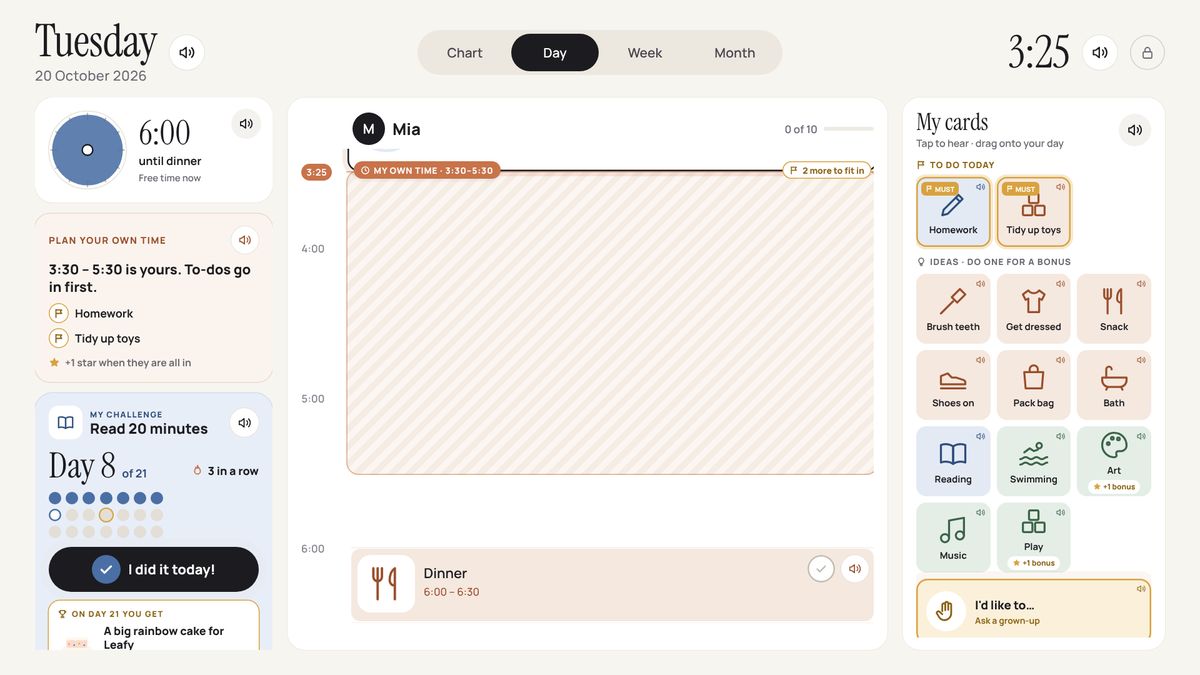
“3:30 – 5:30 is yours.”
The wall reads out whose time it is and what must go in, plus a star once it’s all in.
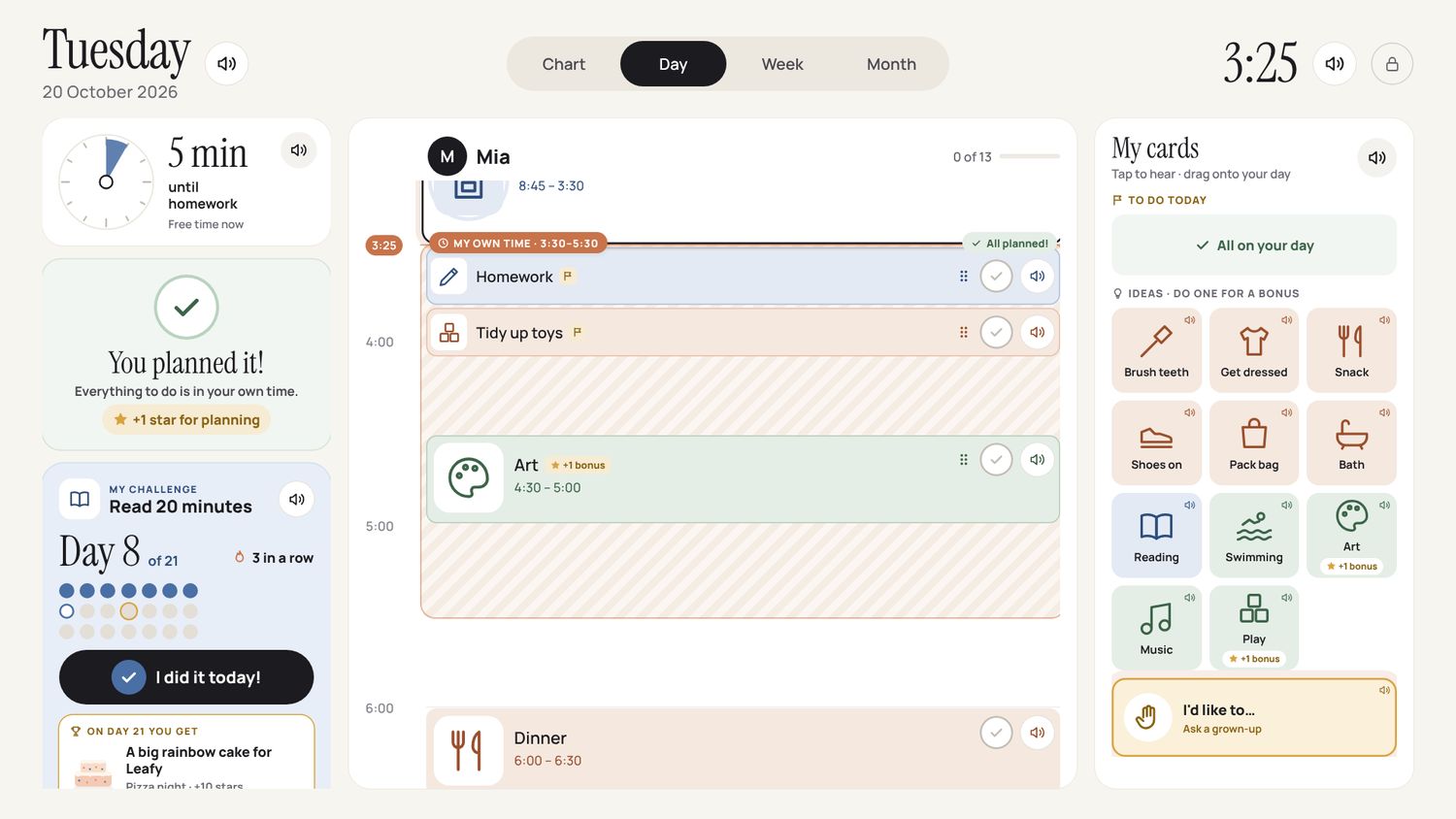
“You planned it!”
If a card won’t fit, the wall says so: “There’s no room there. Find an empty space.” Once everything is in: “You planned it!” and a star for planning.
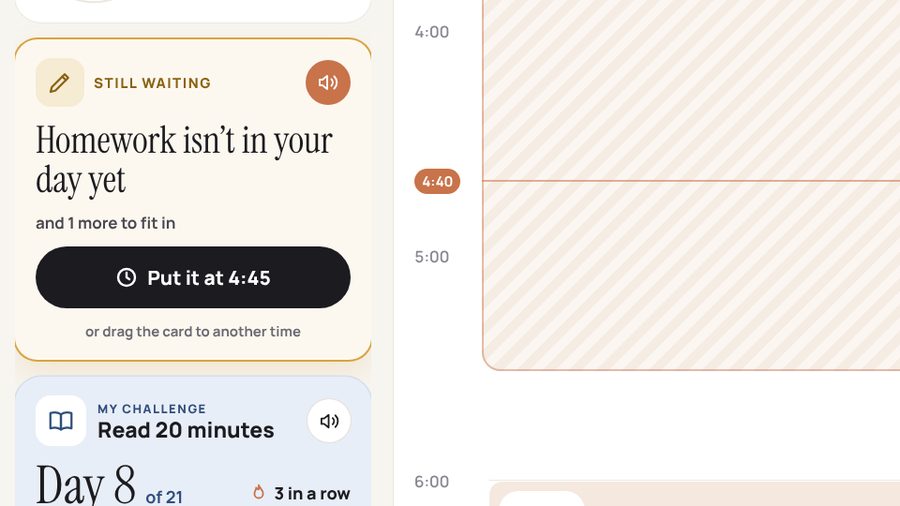
“Homework isn’t in your day yet.”
The wall says it out loud and offers a time: “Put it at 4:45.” One tap, or they drag it somewhere else. You can see their plan on your phone too.
Must-dos done, and an idea too: “Bonus! You chose Art too.”
“Can I…?”
Asked on the wall.
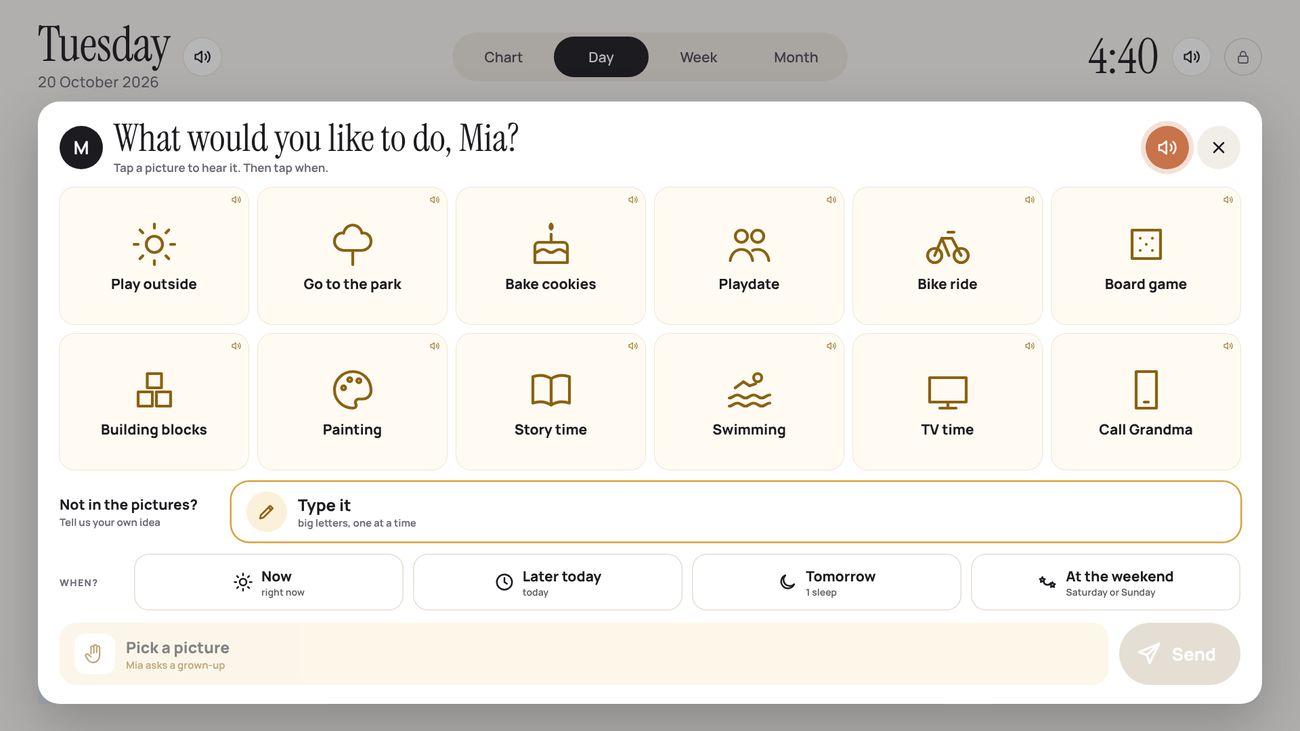
At the bottom of the card tray is “I’d like to…”. It opens “What would you like to do, Mia?”: twelve picture wishes, each one read aloud when tapped. If it isn’t there, “Type it” lets them spell their own idea, one letter at a time.
- Cards they add or move become an ask too
- Star trades: “Mia wants to trade 10 stars for an extra bedtime story.”
Every ask gets
a real answer.
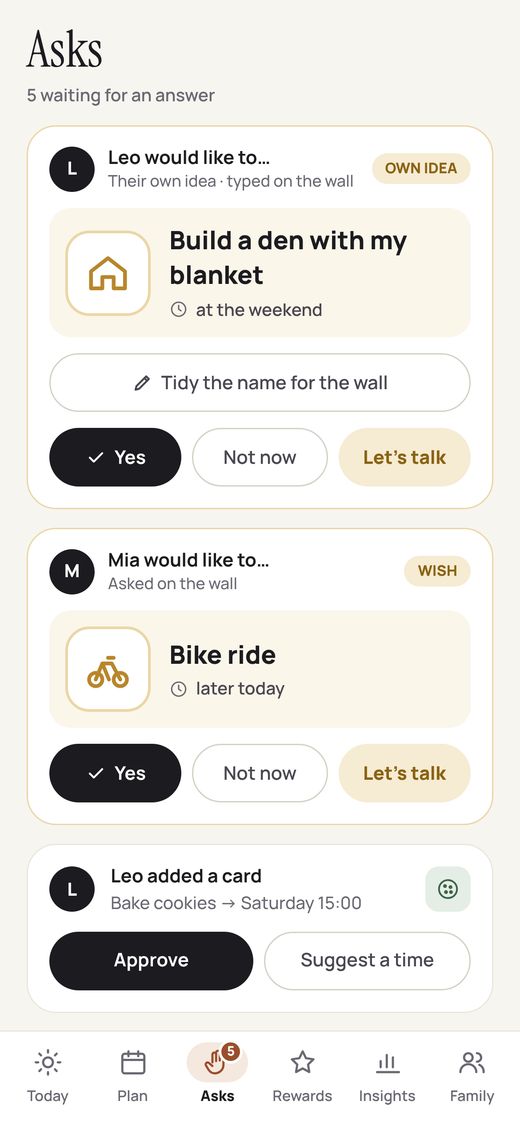
Asks arrive in the Asks tab of the parent app. Your child knows they were heard, even when the answer is “not now”.
The card goes straight onto their wall, ready to drag into their day.
A gentle screen on the wall, with your reason and a thank-you for asking.
Choose now, at dinner or at bedtime. A “Let’s talk” card appears on the wall at that time.
A card they added or moved takes effect with one tap.
Good idea, wrong moment? Offer a better time.
Their ideas. Your yes.
Give your child
their own time.
Join the waiting list and we’ll tell you the day our Kickstarter goes live, with the $349 early-bird price held for you (30% off the expected $499 retail).