See a morning with CURI TIME BOX.
Three short loops: a child plans, hears a reminder, and a star lands. Real CURI TIME BOX software; the rooms are renders.
How CURI TIME BOX works.
Not an app store and not a timer: a simple, repeatable method that the child runs themselves.
← Back to overviewOne day. Three colours.
Every card has a colour: routine, school, activities. Children see the shape of today at a glance and drag cards to where they fit.
“What would you like to do before swimming?”
Daily routine
Wake up, brush teeth, get dressed, eat, bath, bed. The things that repeat every day are the first ones children learn to plan.
School
School hours sync from the family calendar as one big block, so children see how much time is left before they go.
Activities
Swimming, art, music, reading. Children pick from the Plan cards and decide which day and time they go in.
The star Chart
Each finished task lights a star. Everyone’s stars sit together, working towards rewards parents set.
Every task, five beats.
Every task follows the same five beats, from plan to done. The repetition is what lets children stop needing a prompt.
“Mia, it’s time to brush your teeth.”
Plan
The child drags the card onto the timeline, or checks the day a parent helped set up.
See
The current task lights up as “Now”, and the next one is visible too.
Hear
At the right time, CURI TIME BOX gives a gentle reminder using the child’s name. Tap the speaker to hear it again.
Do
The child walks away from the screen and does it. CURI TIME BOX doesn’t need to be watched.
Shine
They come back, tap the tick, and a star lands on the chart.
Planning that grows with them.
One screen for every age: a 3-year-old follows pictures, an older child plans the whole week. You choose how much each child can change.
See how Time Windows deepen by age →Pictures, sounds, one tap
Follows big icons and spoken prompts through a few morning tasks. With an adult nearby, drags one card into “next”.
Plans a morning
Orders the tasks before school, understands “now” and “next”, and counts the sleeps to a birthday in the Month view.
Plans the week
Plans a week of activities, estimates how long things take, and learns to choose when there isn’t time for everything.
What one morning
actually looks like.
The child plans, CURI TIME BOX reminds, the child walks away to do it, and comes back for a star.
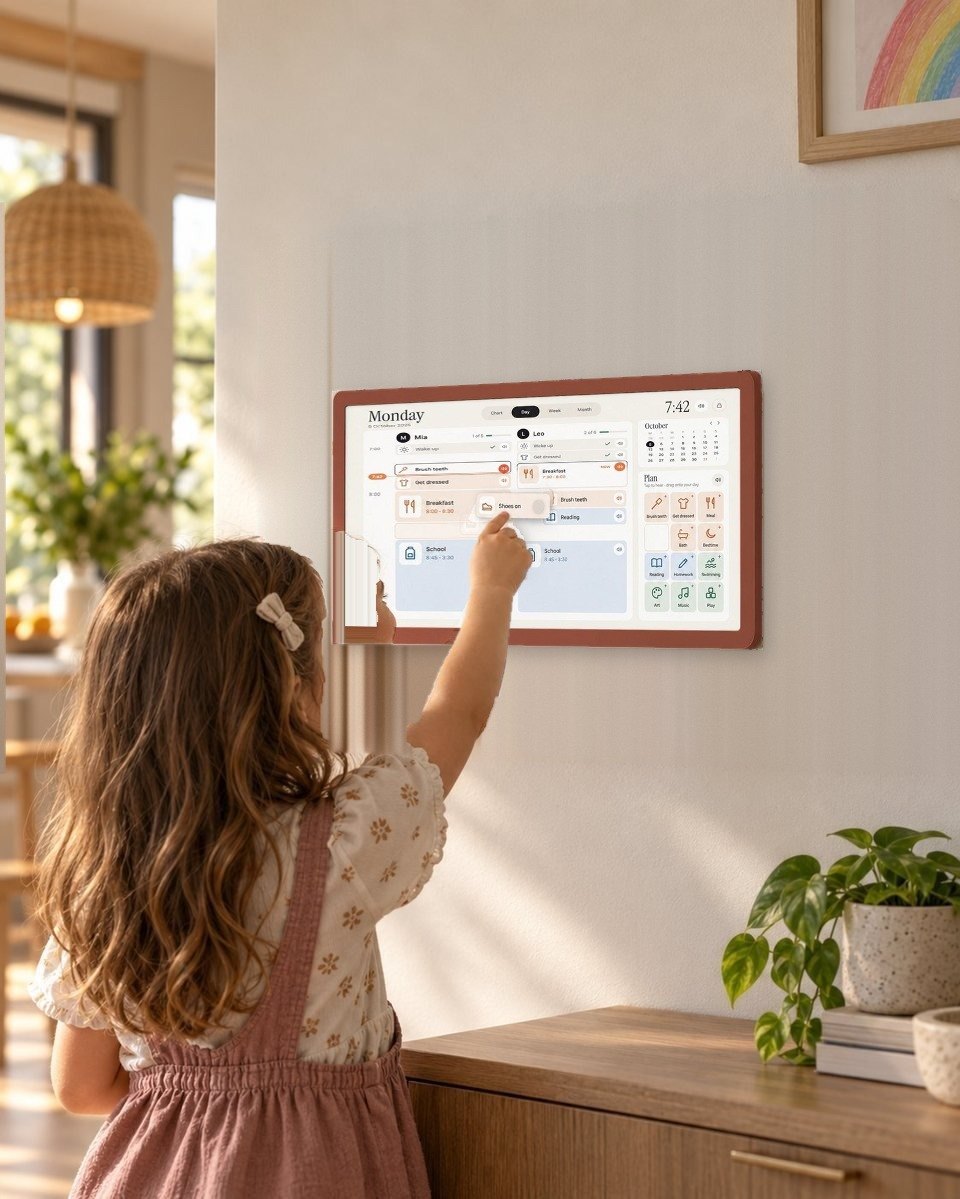
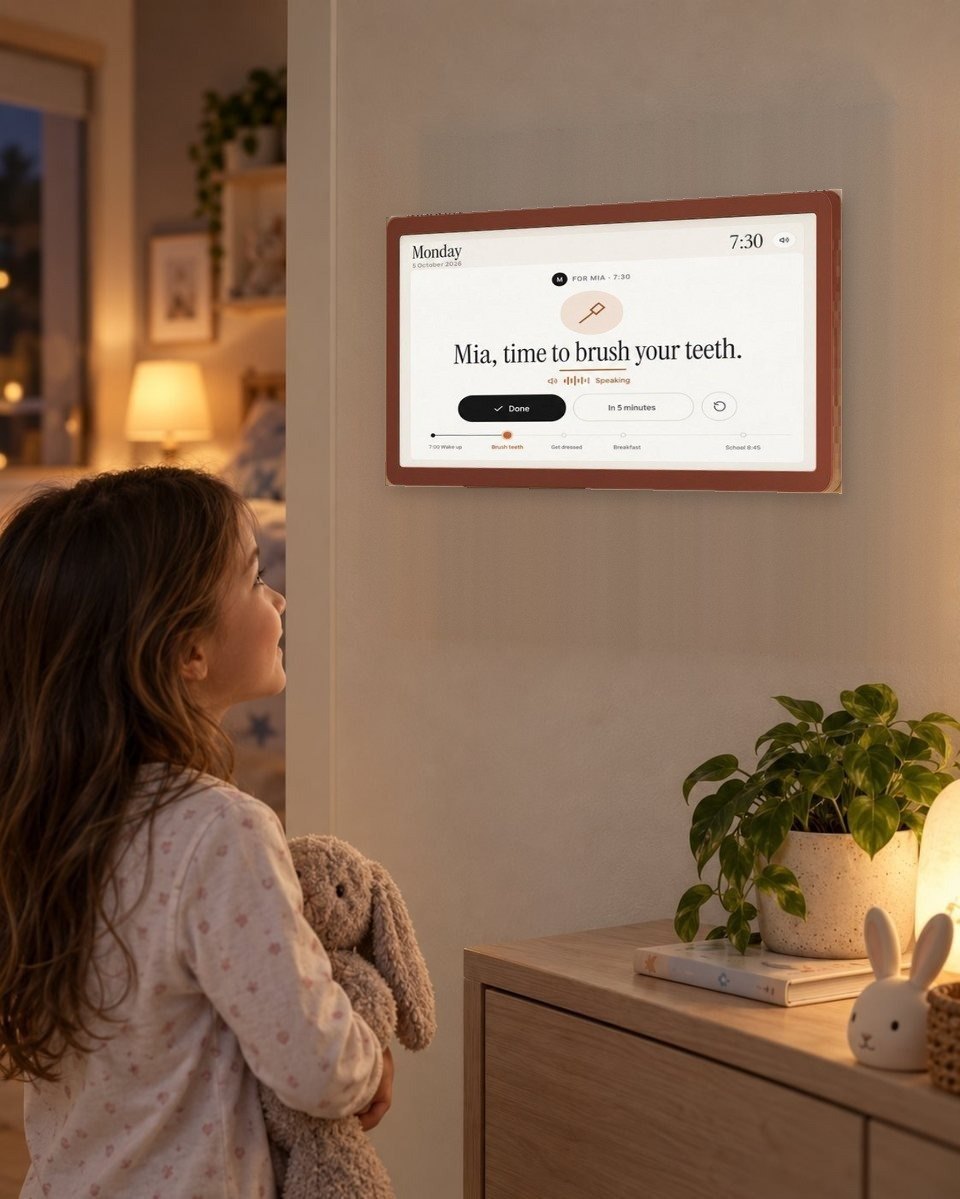
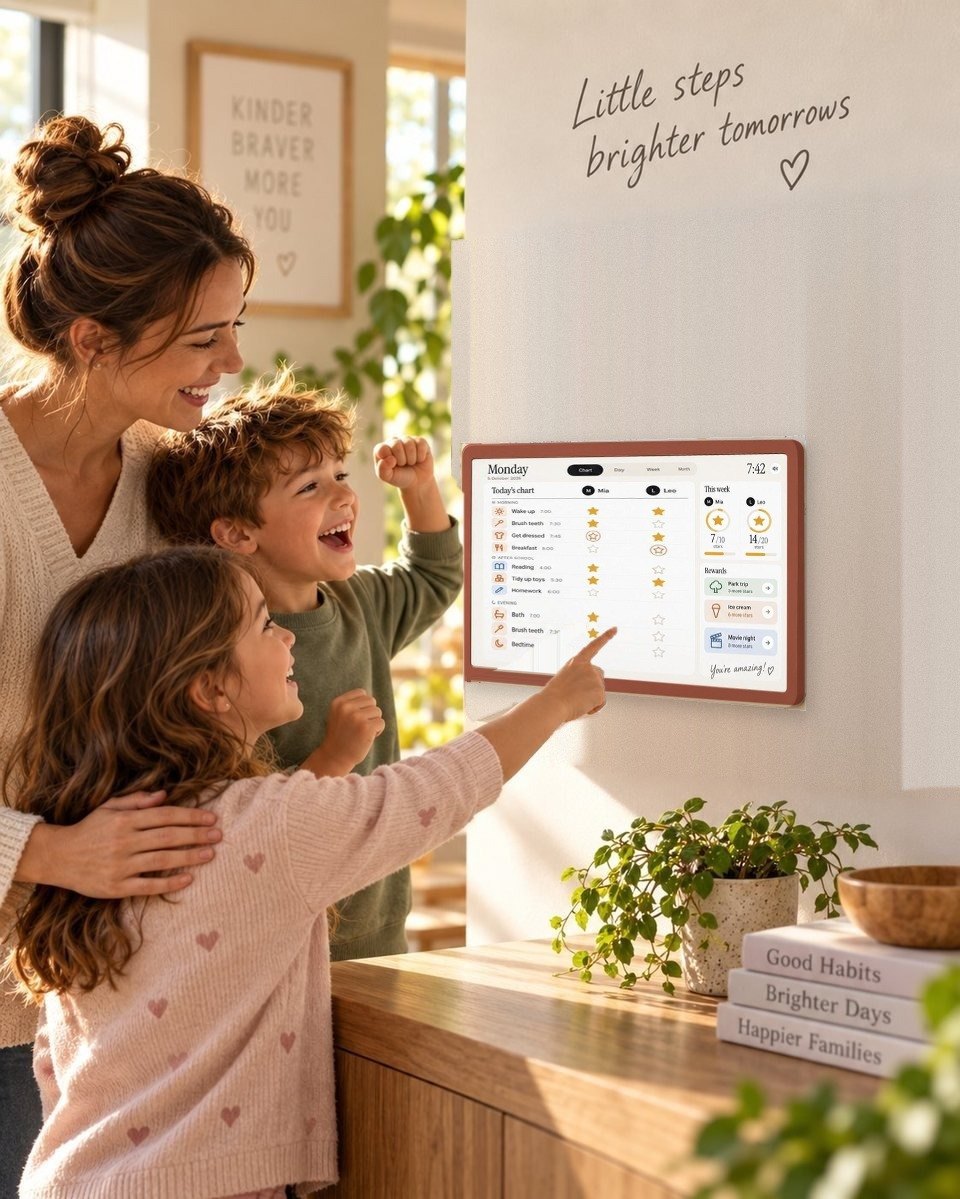
Renders of the CURI TIME BOX design. Campaign photos will be taken with the working prototype.
Give your child
their own time.
Join the list and we’ll tell you the day the Kickstarter goes live, with the early-bird price held for you.